Changelog
An overview of recent updates and improvements to Inspect.
✨ Inspect 2.0 is here
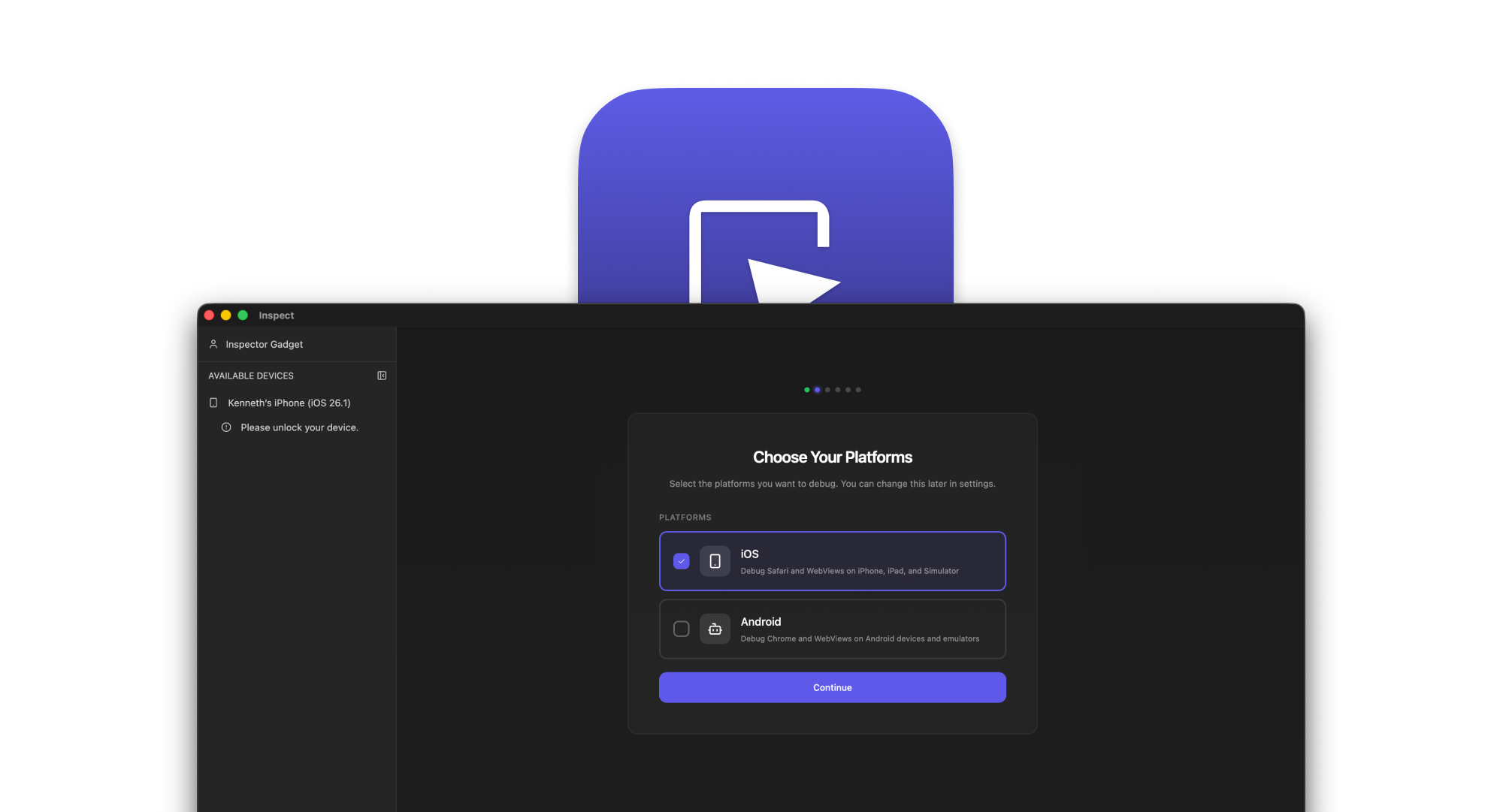
We're thrilled to announce Inspect 2.0 — the biggest update to Inspect since our initial launch. This release represents months of work to make Inspect the most reliable and polished mobile DevTools experience available.
What's New in Inspect 2.0?
Inspect 2.0 is a ground-up redesign focused on three core goals: reliability, usability, and polish. We've rebuilt the entire user interface, created an interactive onboarding experience, and fixed over 50 issues in our iOS protocol translation layer.
Completely Redesigned Interface
We've rebuilt the entire UI using modern web technologies:
- New Design System — A fresh, polished look built with Tailwind CSS and shadcn/ui components
- Collapsible Sidebar — More room for DevTools with a streamlined navigation
- Context Menus — Right-click on targets and devices for quick actions like "Open URL", "Reload", and "Launch Safari"
- React 19 — Upgraded to the latest React for snappier performance
The result is an app that feels more responsive, looks more polished, and gets out of your way so you can focus on debugging.
Interactive Onboarding Wizard
Getting started with Inspect is now easier than ever:
- Guided Setup — Step-by-step instructions tailored to your platform
- Real-time Detection — Watch your device appear the moment you connect it
- Platform-Specific Flows — Different paths for iOS and Android, with macOS-specific optimizations
- Progress Tracking — Visual indicator showing exactly where you are in the setup process
Whether you're debugging iOS, Android, or both, the new onboarding wizard guides you through enabling the right settings and connecting your devices.
Device Diagnostics
When things don't work, the new Doctor feature helps you figure out why:
- Automated Checks — Runs through common connection issues automatically
- Clear Recommendations — Each failed check includes step-by-step instructions to fix it
- iOS & Android Support — Platform-specific diagnostics for both ecosystems
- One-Click Retry — Re-run diagnostics after making changes
No more guessing why your device isn't showing up. Doctor tells you exactly what's wrong and how to fix it.
50+ iOS Protocol Improvements
Under the hood, we've dramatically improved the reliability of iOS debugging:
- Console — Fixed
console.time(),console.timeEnd(), and proper iframe context selection - Elements — Fixed DOM tree expansion, Shadow DOM support, and element selection
- Network — Proper cache labels, improved timing data, and fixed cookie operations
- CSS — Resolved stuck loading issues and improved stylesheet handling
- Debugger — Better variable display in WKWebView and proper script parsing
- Performance — Optimized screencast, prevented memory leaks, and faster animations
These fixes make the DevTools experience feel much more like debugging Chrome — because that's what it should feel like.
Settings & Configuration
Power users will appreciate the new settings experience:
- JSON Config Editor — Edit your configuration directly with syntax validation
- Device Toggles — Enable or disable iOS and Android discovery independently
- Persistent Preferences — Your settings survive app restarts
Improved Authentication
We've also improved how Inspect handles your account:
- In-App OAuth — Smoother login flow without leaving the app
- Better Session Handling — Proper token refresh and session recovery
- Proxy Support — Works correctly behind corporate proxies
Upgrade Now
Inspect 2.0 is available now and will auto-update from previous versions. No manual action required — just open Inspect and enjoy the new experience.
For CLI users, update with:
Visit https://inspect.dev/products/cli
Thank You
This release wouldn't have been possible without the incredible feedback from our community. Every bug report, feature request, and piece of feedback helped shape Inspect 2.0 into what it is today.
We're just getting started. Stay tuned for more improvements coming soon!
Happy Inspecting!